逃离鸭科夫鸭古兽怎么捏脸 鸭古兽捏脸数据代码分享
逃离鸭科夫鸭古兽捏脸数据代码在捏脸界面左下角有个应用剪贴板中的数据,直接点击方可导入数据,接下来将为大家带来逃离鸭科夫鸭古兽捏脸数据代码分享!

捏脸数据代码大全>>>点击前往
逃离鸭科夫鸭古兽捏脸数据代码分享
一、效果图
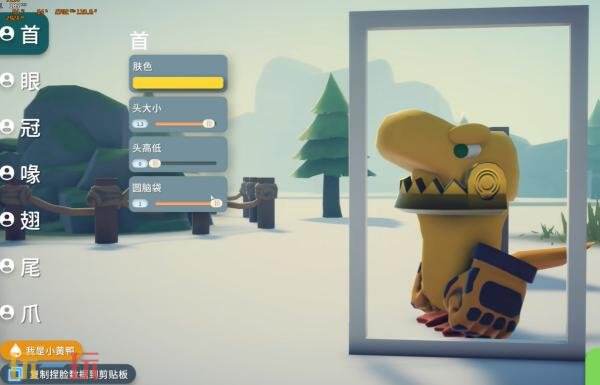
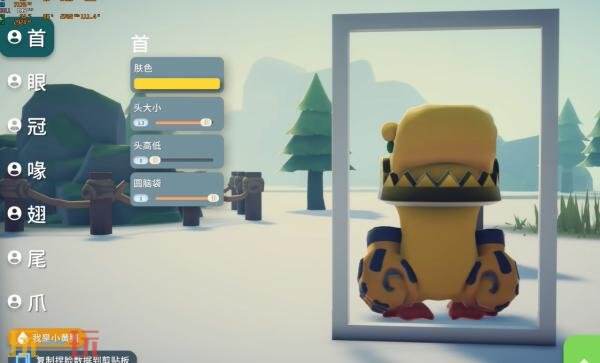
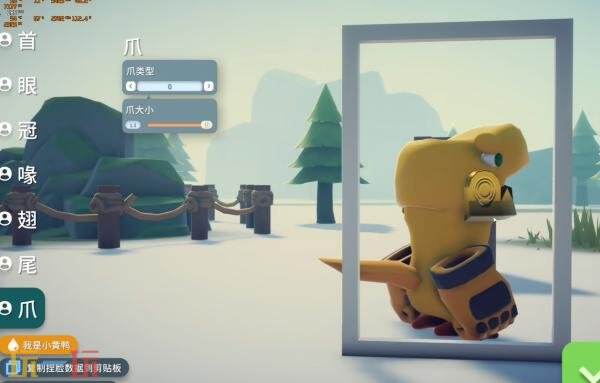
二、代码
{"savedSetting":false,"headSetting":{"mainColor":{"r":0.992,"g":0.847,"b":0.208,"a":1},"headScaleOffset":0.3,"foreheadHeight":0,"foreheadRound":1},"hairID":9,"hairInfo":{"radius":0,"color":{"r":0.992,"g":0.847,"b":0.208,"a":1},"height":0,"heightOffset":0,"scale":1,"twist":0,"distanceAngle":0,"leftRightAngle":0},"eyeID":2,"eyeInfo":{"radius":0.23,"color":{"r":0.145,"g":0.608,"b":0.141,"a":1},"height":0.246,"heightOffset":0,"scale":2.015,"twist":-5.718,"distanceAngle":67.224,"leftRightAngle":0},"eyebrowID":1,"eyebrowInfo":{"radius":0.23,"color":{"r":0.992,"g":0.847,"b":0.208,"a":1},"height":0.074,"heightOffset":0.246,"scale":2.696,"twist":-8.024,"distanceAngle":76.45,"leftRightAngle":0},"mouthID":30,"mouthInfo":{"radius":0.23,"color":{"r":0.992,"g":0.847,"b":0.208,"a":1},"height":0.111,"heightOffset":0,"scale":0.8,"twist":0,"distanceAngle":0,"leftRightAngle":0},"tailID":1,"tailInfo":{"radius":0,"color":{"r":1,"g":0.735,"b":0.231,"a":1},"height":0,"heightOffset":0,"scale":2,"twist":0,"distanceAngle":0,"leftRightAngle":0},"footID":0,"footInfo":{"radius":0,"color":{"r":1,"g":0.403,"b":0.203,"a":1},"height":0,"heightOffset":0,"scale":1.5,"twist":0,"distanceAngle":0,"leftRightAngle":0},"wingID":1,"wingInfo":{"radius":0,"color":{"r":1,"g":0.735,"b":0.231,"a":1},"height":0,"heightOffset":0,"scale":2,"twist":0,"distanceAngle":0,"leftRightAngle":0}}
三、使用方法
玩家在开局捏脸界面左下角有个应用剪贴板中的数据,直接点击方可导入数据。
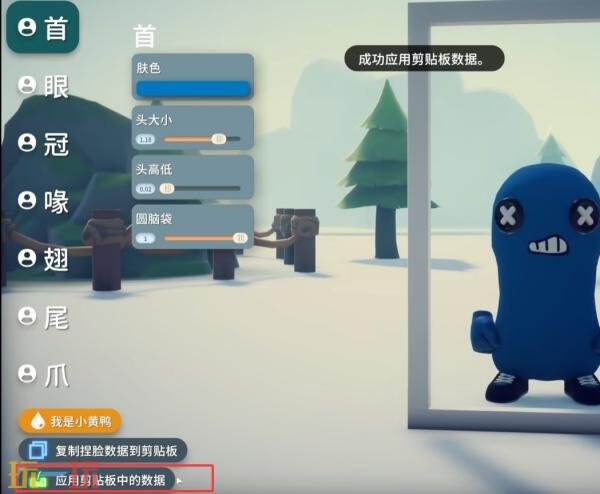
应用成功会直接显示成功应用剪贴板数据。此时就会发现鸭鸭捏脸是之前自己保存代码的捏脸了。
以上就是关于逃离鸭科夫鸭古兽捏脸数据代码分享的全部内容,希望能够有所帮助。更多相关内容前往玩一玩查看。
相关阅读
- 4月PS+新增游戏:《怪物火车》《持枪松鼠》等
- 开放世界TMORPG《旅行游记》7月31日正式停服
- Steam喜加一:心理恐怖游戏《NineHells》免费领
- 《原子之心》最终DLC“血染水晶”流程时长超8小时!
- 经典复古游戏合集《UFO50》现已登陆Switch
- 科乐美经典棒球系列新作登陆PS5/PC 售价约409元
- 《黎明行者之血》总监透露:将为玩家带来前所未有的体验
- 《英雄联盟》将推出全新功能:队友摆烂可投票提前结束对局
- 《索尼克赛车 交叉世界》“愤怒的小鸟活动”限时开启
- 《乐高蝙蝠侠:黑暗骑士的遗产》将于5月23日上线
- 俯视动作冒险游戏《Elementallis》4月29日发售
- 过关动作游戏《宇宙的巨人希曼:龙珠毁灭》推迟至今年夏季发售
- 免费沙盒游戏《Roblox》PS5原生版本现已推出
- 《哥特王朝》经典版三部曲PS和Xbox版发售时间公布!
- 《漂流日记 ~未知诸岛与次元之门~》将于今年在PC开启抢先体验